
What can the camera angle control do?
It lets you transform images through natural dialogue and interactive camera controls. From a single uploaded photo you can generate new perspectives, expand scenes, remove objects, or change backgrounds.
Upload a reference image and drag the 3D Camera Control to adjust viewing angle, elevation, and shot distance. The system will assemble a structured camera prompt and generate a reframed result.
Drop an image here or click to upload
Supports PNG / JPG / WebP
Generated Result
Upload one photo at a time. Supports JPG, PNG, and WebP formats.
Adjust the camera angle controls — azimuth, elevation, and distance — to your desired range.
Hit generate and get ready to see your photo from a brand new angle!
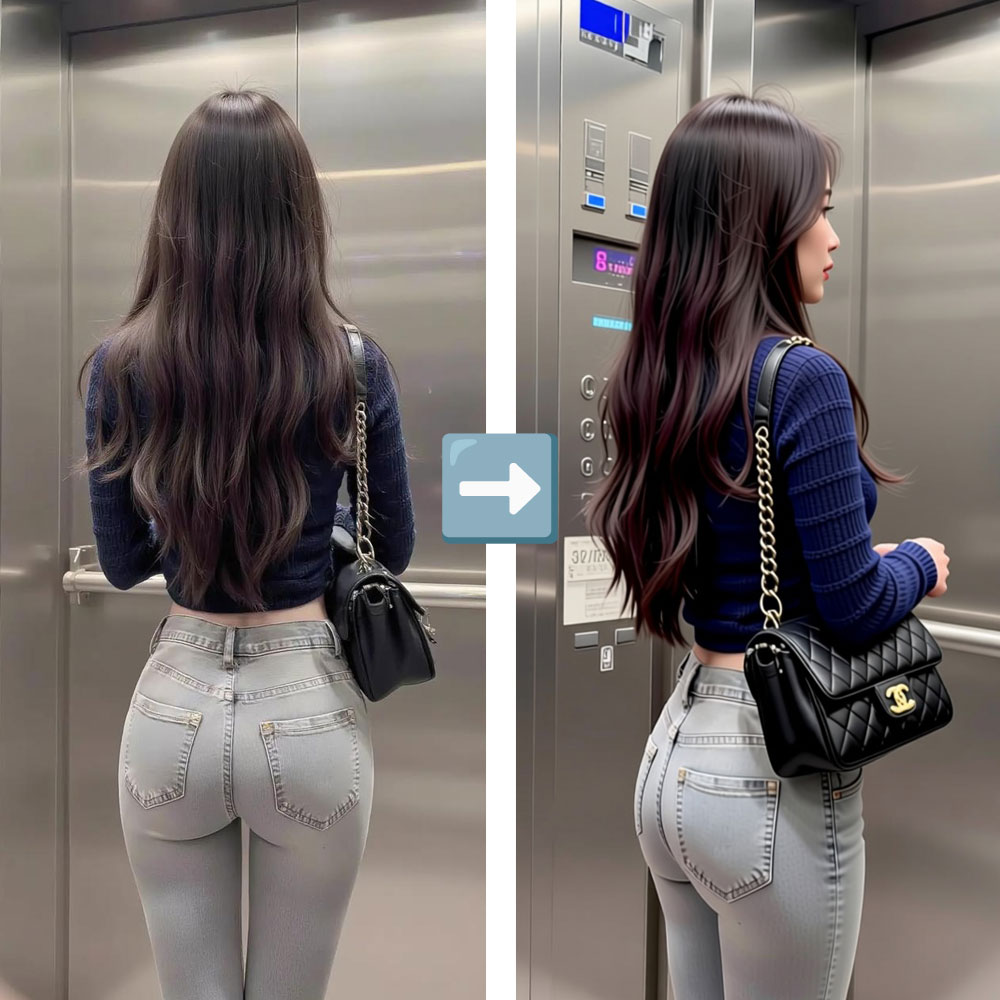
The AI preserves the original subject's identity, facial features, hairstyle, clothing, skin tone, and body shape. Lighting, shadows, and composition are intelligently adapted to the new camera angle for a natural, coherent result.
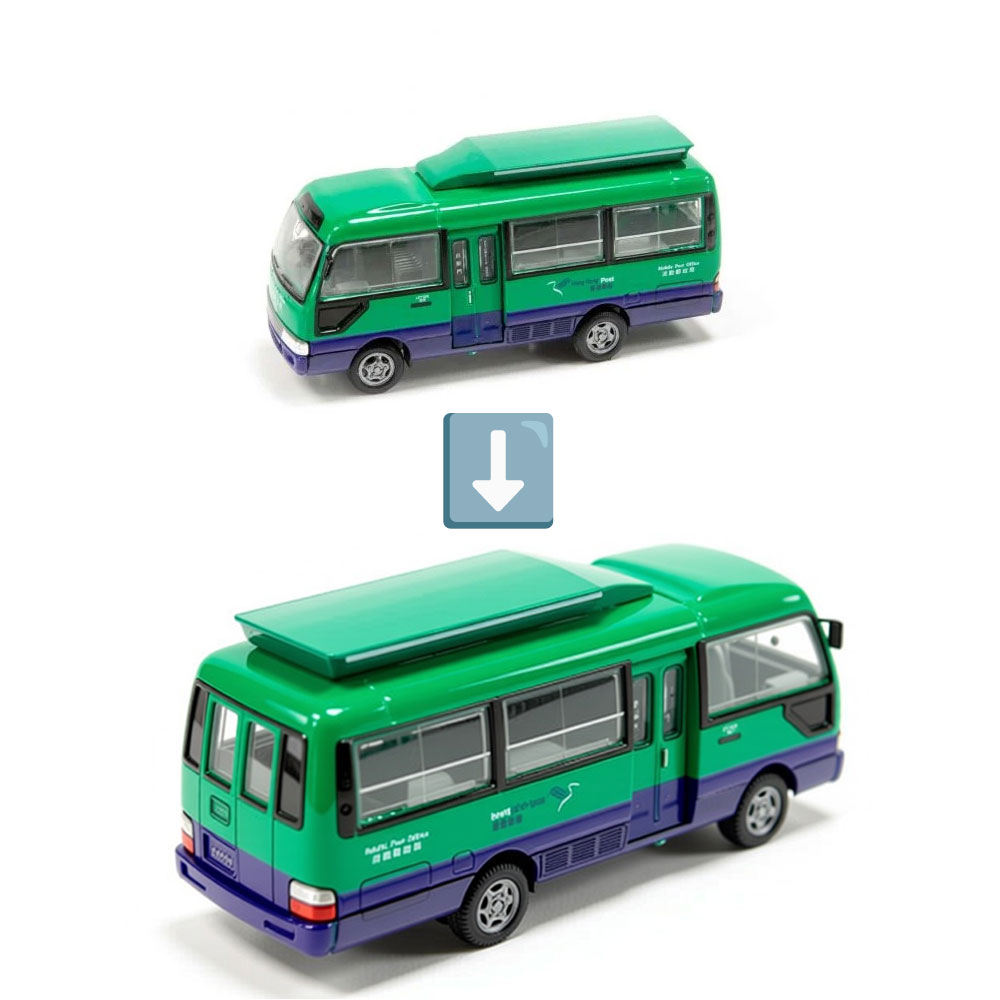
Fine-tune every aspect of the virtual camera — Azimuth (horizontal rotation), Elevation (vertical angle), and Distance (shot scale). The structured prompt is built automatically from your adjustments.
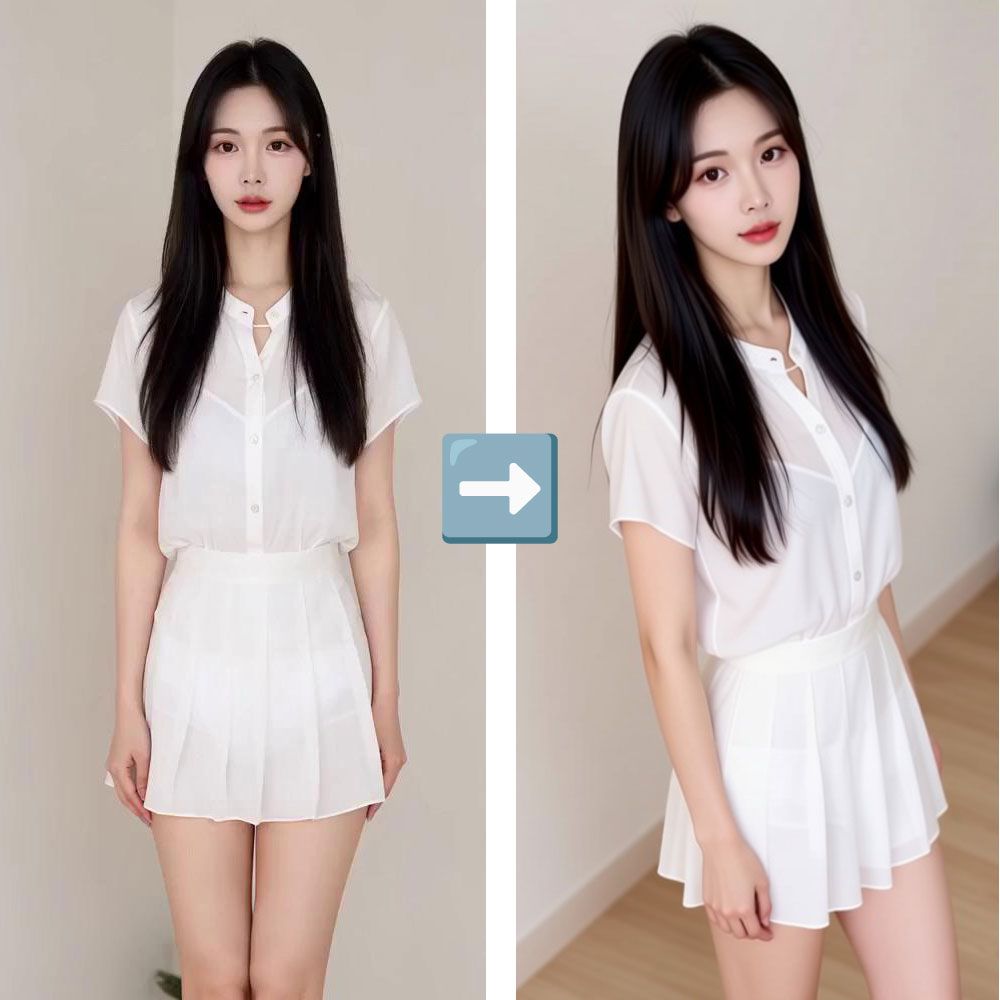
Generate multiple camera angles from a single uploaded photo. No need for expensive reshoots, multiple camera setups, or returning to the studio. One shot, infinite perspectives.
It lets you transform images through natural dialogue and interactive camera controls. From a single uploaded photo you can generate new perspectives, expand scenes, remove objects, or change backgrounds.
Yes. Upload a photo once, then tune the horizontal rotation, vertical elevation, and zoom distance to generate various perspectives.
Generation typically takes 20–60 seconds depending on model load and image complexity. Fast mode completes quicker with slightly lower quality.
Yes! You can upload one photo and generate unlimited different camera angles, each consuming the set number of credits.
Yes, the system is designed to preserve the subject's identity, facial features, hairstyle, clothing, and skin tone. The AI synthesizes a novel view of the same person.
Simply rotating an image only turns the flat picture. Our tool changes the camera position in 3D space, revealing a different perspective of the subject.